
The quiet Microsoft change that’s breaking Mac Mail for some businesses
01 Oct 2026
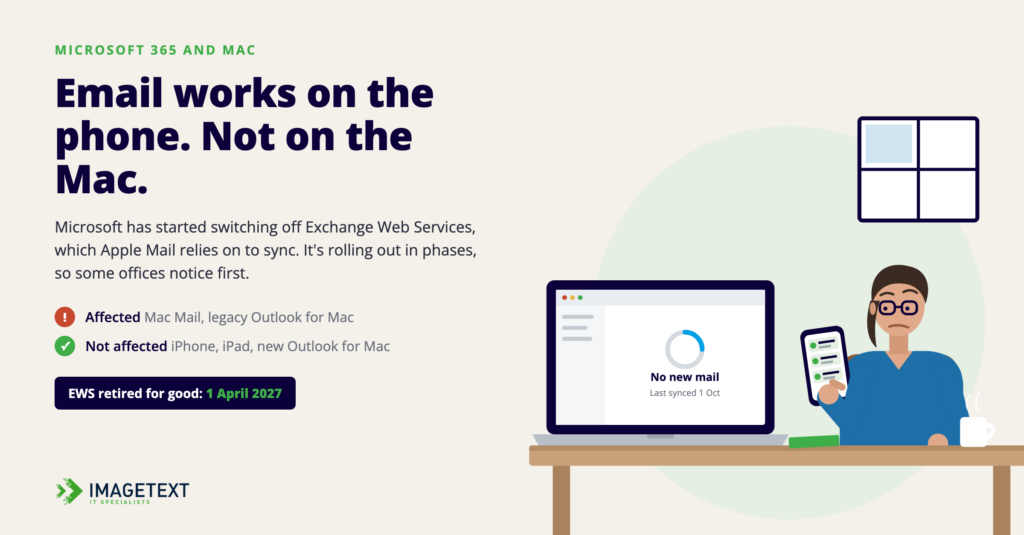
On 1 October, Microsoft began switching off something most people have never heard of. Some of them found out this morning when their Mac Mail inbox stopped updating.
The thing being switched off is Exchange Web Services, or EWS. It’s the connection Apple’s Mail and Calendar apps on the Mac use to sync with Microsoft 365 work accounts. Microsoft stopped adding features to it in 2018, announced its retirement in 2023, and has now started disabling it by default across Microsoft 365.
If your team uses Mac Mail or the legacy version of Outlook for Mac with a Microsoft 365 account, this one’s for you.
What’s actually happening
Microsoft is rolling this out in phases, so not every business will notice on the same day. Some will lose sync this week. Others may not see anything for a while. Unpredictable timing like that is exactly what makes it worth planning for now.
There are two dates to keep in mind:
- 1 October 2026: EWS starts being disabled by default.
- 1 April 2027: EWS is retired for good. Microsoft has said there are no extensions planned beyond this date.
Who’s affected (and who isn’t)
Affected:
- Apple Mail, Calendar and Contacts on the Mac, connected to a Microsoft 365 account
- Legacy Outlook for Mac connected to Microsoft 365
Not affected:
- iPhone and iPad. Apple has already moved these to a different connection, so mail on your phone carries on as normal.
- The new Outlook for Mac, which already uses Microsoft’s modern connection, Microsoft Graph.
- Businesses running their own on-premises Exchange server.
A common pattern this week will be an inbox that’s fine on someone’s iPhone but frozen on their Mac. That’s usually not a fault with the Mac. It’s this.
Option one: buy some time
Microsoft has added a setting called EWSAllowedAppIDs. It lets a Microsoft 365 administrator name specific apps that are still allowed to use EWS. Adding Mac Mail to that list keeps it working until 1 April 2027.
It’s a reprieve, not a fix. The list has to be set up carefully, because each update replaces the whole list rather than adding to it, and changes can take up to 24 hours to apply. That makes it a job for whoever manages your Microsoft 365 tenant, not something to work out at the end of a long Friday.
Option two: move to the new Outlook for Mac
The longer-term answer for most businesses is the new Outlook for Mac. It’s included with Microsoft 365, it already uses the modern connection, and it won’t be affected by the April cut-off.
Apple has said it’s working with Microsoft to move Mail, Calendar, Contacts, Notes and Reminders over to Microsoft Graph in macOS 27. That update hasn’t shipped yet, though, and there’s no confirmed date. We wouldn’t build a plan around it arriving before April. If it does, that’s a nice bonus.
What we’re doing
We’ve managed Mac fleets alongside Microsoft 365 long enough to know that these changes tend to arrive as support calls. For our iCare clients, we’re already working through their environments: checking who’s on Mac Mail or legacy Outlook, and putting the short-term allowlist in place where it makes sense, so nobody loses a day of email while we plan the proper move.
If you’re not an iCare client, we can’t see your setup from our end, but we’re happy to help. Get in touch, and we’ll check it for you.

𝗜𝗠𝗔𝗚𝗘𝗧𝗘𝗫𝗧 𝗜𝗧 𝗦𝗣𝗘𝗖𝗜𝗔𝗟𝗜𝗦𝗧𝗦
Phone +64 9 623 3102
3 Owens Rd, Epsom, Auckland 1023, New Zealand
#Microsoft365 #MacAdmin #AppleInBusiness #ITSupport #NZBusiness
Services
More Services
Contact Imagetext
Phone: +64 (09) 623 3102
Level 1, 3 Owens Road,
Epsom, Auckland 1023
New Zealand
Connect With Us